Everything you need to stay organized
Lists, sub-tasks, tags, reminders, and shared to-dos — take a closer look at what Tasko can do.


01 · Lists
One inbox for everything. Smart lists for everything after.
Create as many lists as your life needs — Personal, Work, Shopping. Smart lists group what's due today, overdue, or unscheduled automatically, so nothing slips through.
03 · Never miss it
Set it once. Tasko remembers so you don't have to.
Due dates, custom reminders, and flexible repeat rules — daily, weekly, or your own pattern — keep recurring work off your mind.
Send Q3 report to design team
 Tomorrow, 9:00 AM
 Repeats weekly on Friday
High priority
Today
Added "Plan team offsite"
2 minutes ago
Completed "Send Q3 report"
18 minutes ago
Moved "Book dentist" to Friday
1 hour ago
Removed "Old grocery list"
3 hours ago
04 · Stay in sync
See what changed, the moment it changes.
Every completed task, new item, and edit on a shared list shows up in one clear timeline — no more asking "wait, who did that?"
05 · Details
And the details that make it click

Sub-tasks & Notes
Break big tasks into small, checkable wins — with notes for the details.

Tags & Filters
Color-code and filter your way to focus.
WorkUrgentIdeas
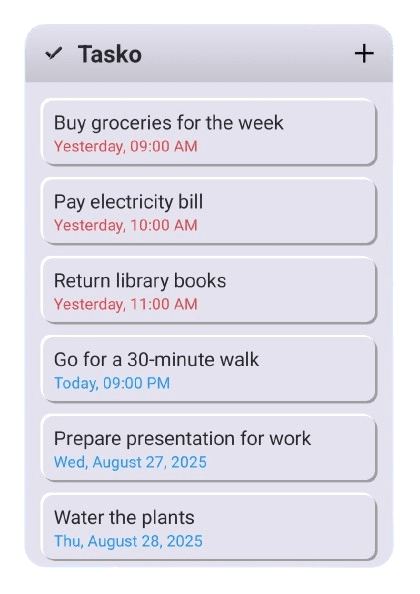
Home-screen Widget
Your list, one glance from your home screen.
Dark Theme
Easy on the eyes, any time of day.
Dark mode on

Android today. Everywhere, soon.
Tasko lives on Android right now — more platforms are on the way.
Ready to get things done?
Free to start. Premium when your lists outgrow the basics.